AI analysis of photos, recordings, video and documents
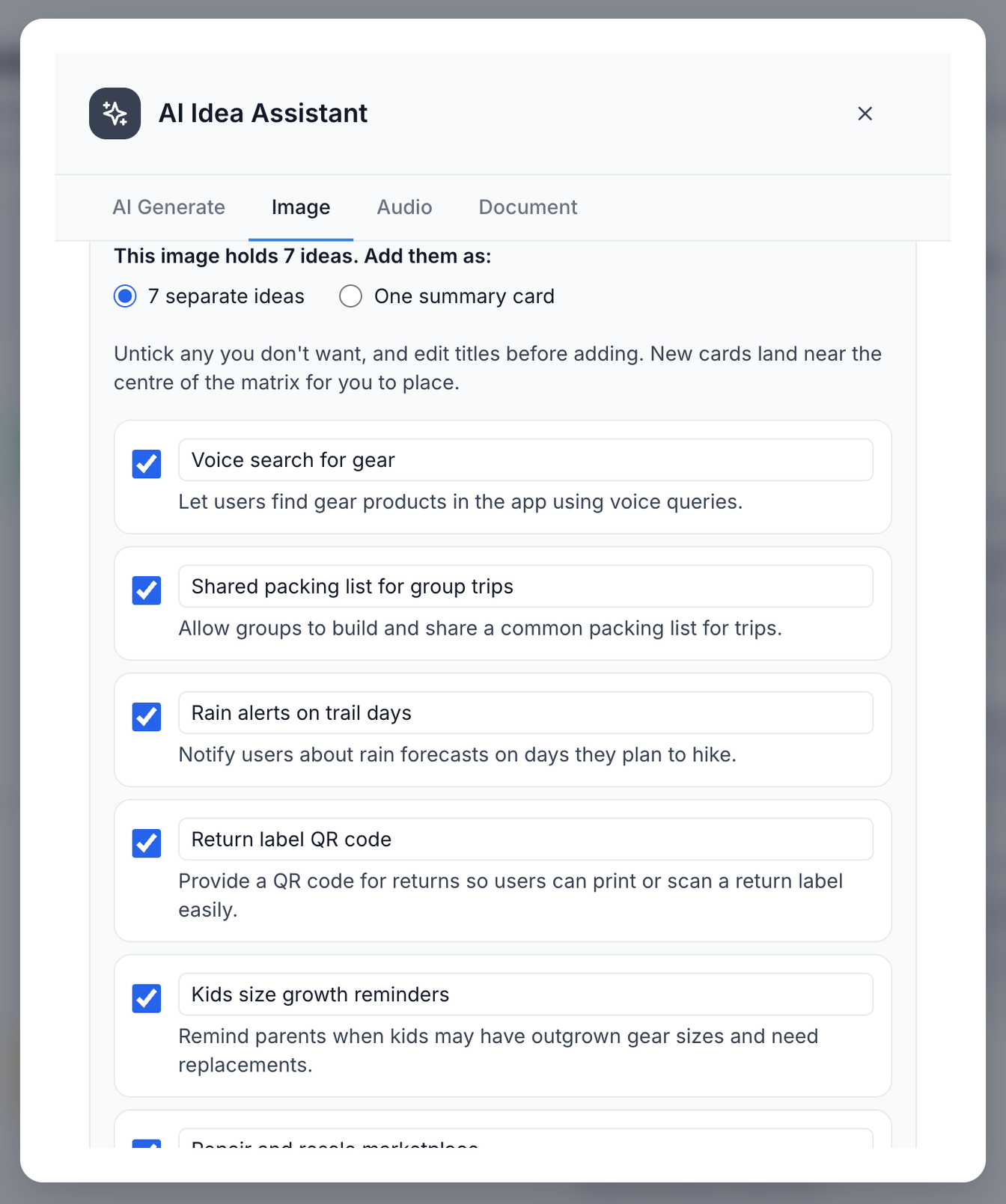
Drop in a whiteboard photo, a voice memo, a text-based PDF or a Word (.docx) file. Prioritas turns the ideas in it into cards you choose from.
For workshops, product teams and agencies
Prioritas is a tool for prioritizing ideas as a team on an impact-effort matrix. Run a live brainstorm where everyone adds ideas from their phone by scanning a QR code, no account needed. Prioritas reads the notes, images and recordings with AI, then your team agrees what matters on one impact-effort matrix.
Free plan for small teams. No credit card.
How it works
A brainstorm can end with a wall of ideas and everyone leaving without a plan.
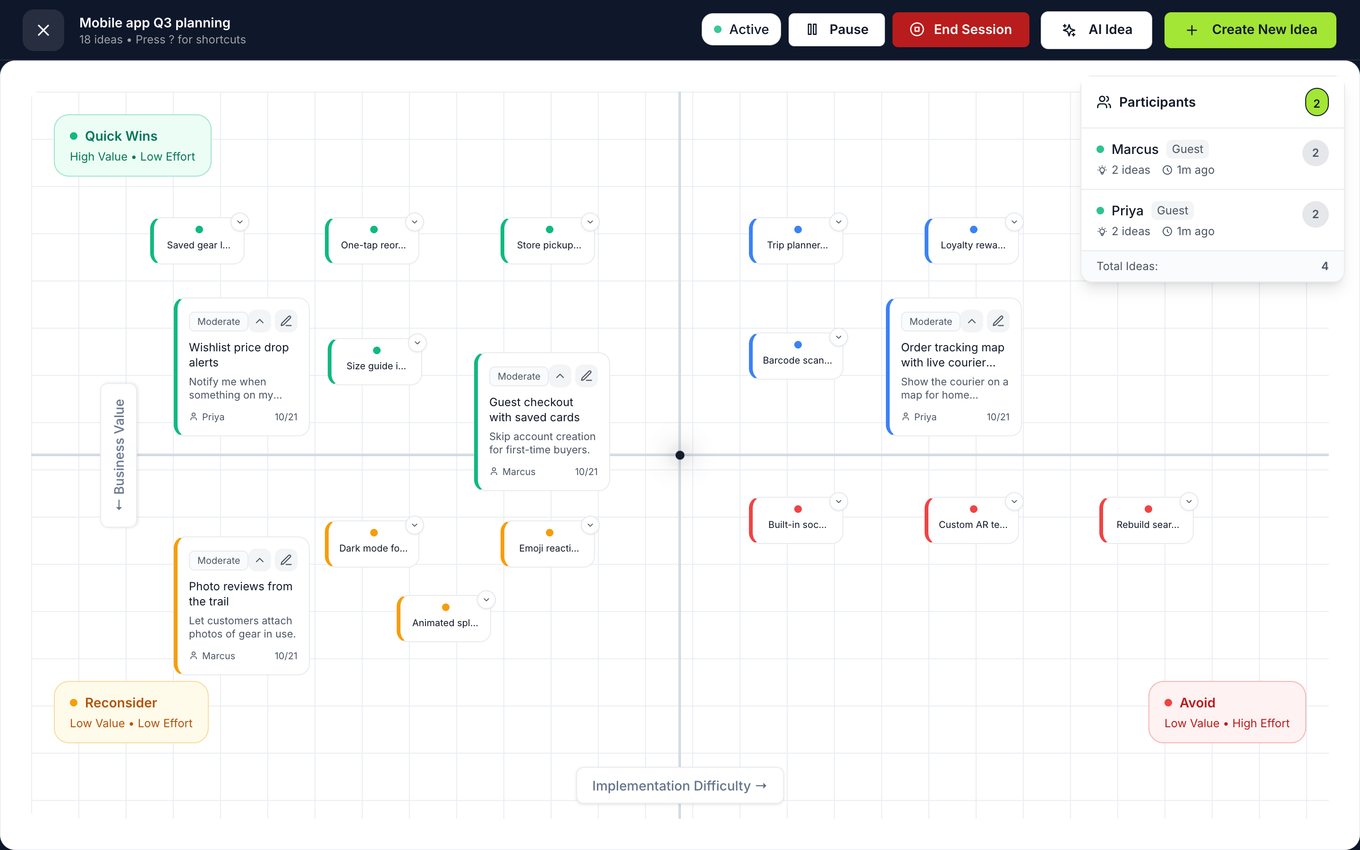
Share a QR code. Everyone adds ideas from their phone while the board fills up live on the big screen.
Attach notes, screenshots, recordings, text-based PDFs or Word (.docx) files. AI pulls out the ideas in them, and you choose which go on the matrix.
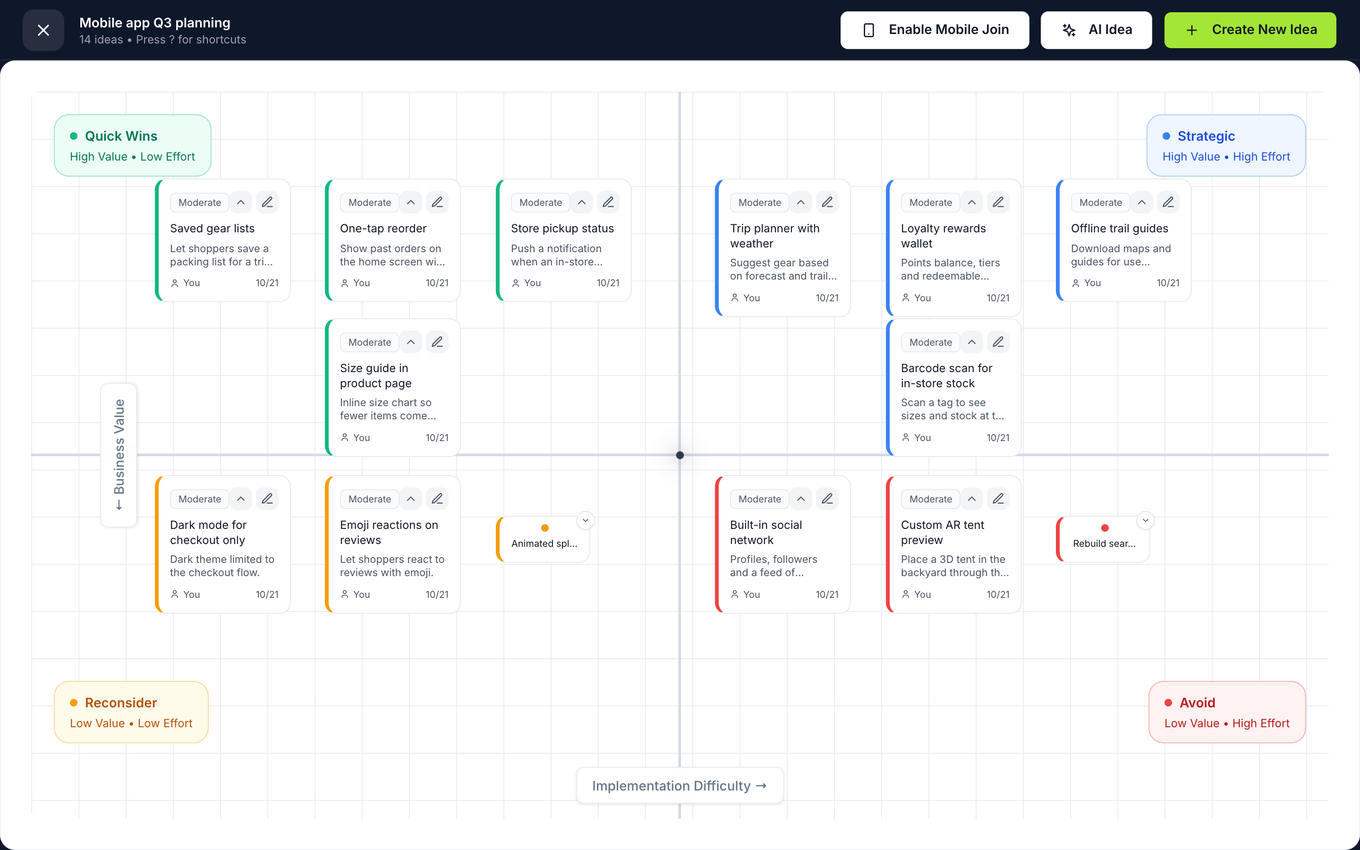
Drag ideas across the impact-effort matrix together, then turn the quick wins into a roadmap.
The matrix makes it a conversation: place each idea, argue in the open, and the quick wins fall out.
Everyone adds ideas from their own phone, so a quiet person's ideas reach the board as easily as a loud one's. Facilitators can pause and resume a session, or end it.
Product
Drop in a whiteboard photo, a voice memo, a text-based PDF or a Word (.docx) file. Prioritas turns the ideas in it into cards you choose from.
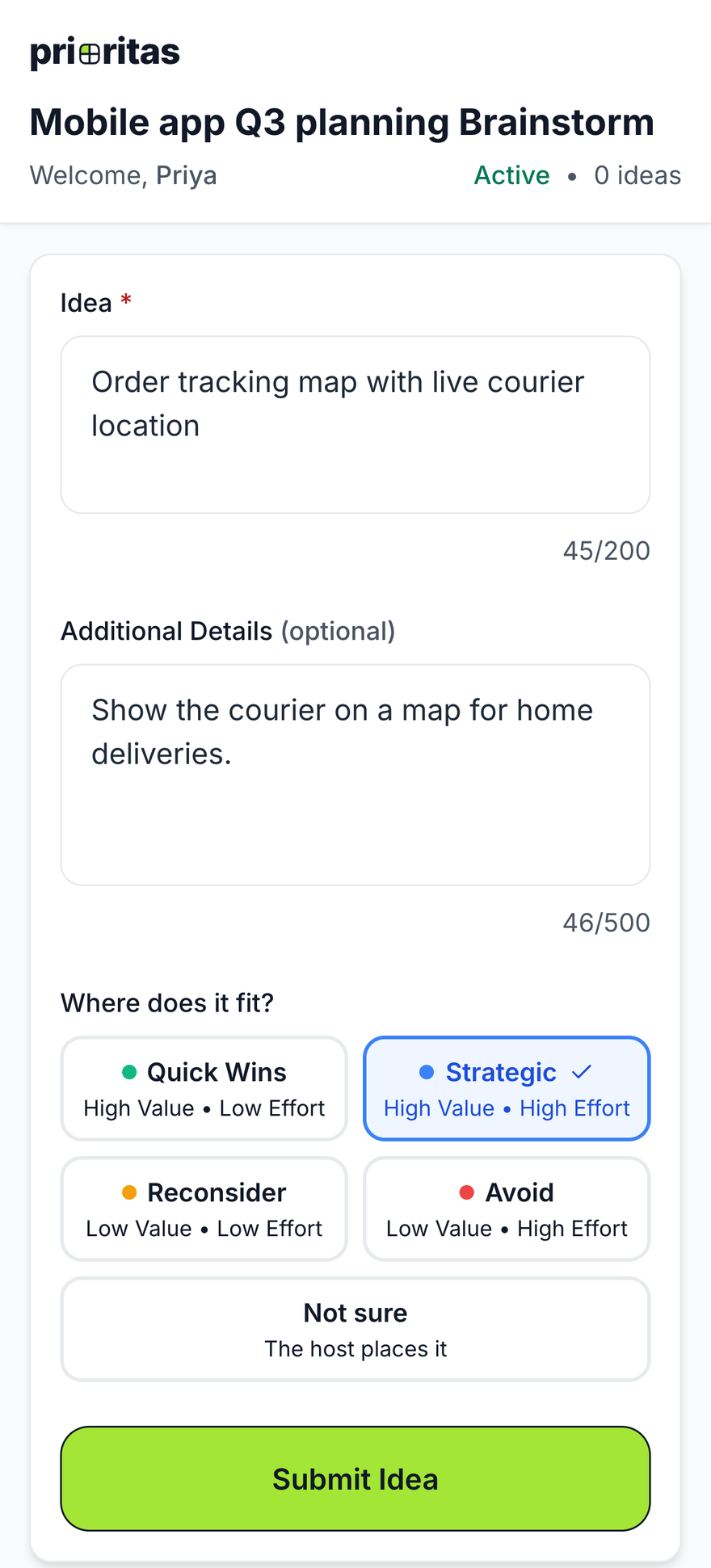
Ideas arrive on the board the moment someone submits them, from any phone or laptop. Participants pick where their idea fits on the matrix, or choose Not sure and the host places it. Facilitators can pause and resume a session, or end it.
Agree impact and effort together, then turn the quick wins and strategic bets into a roadmap you can export.
Who it's for
Turn a backlog of requests into a roadmap the whole team agrees on.
How product teams use it →Run a session for 40 people where everyone contributes from their phone.
How to run a workshop →Prioritize client feedback and research findings with the client in the room.
How agencies use it →Run facilitated sessions for adult learners, who add ideas from their phones without creating an account. Education plans coming soon.
Free tool
Add ideas, drag them into quadrants and download a PNG. Continue in Prioritas when you want your team in on it.
Your data
Files are stored privately and only people on the project can open them. Prioritas uses AI to read photos, recordings, text-based PDFs, Word (.docx) files and text files and suggest ideas from them.
Card details go straight to Stripe; Prioritas never sees or stores them.
Owners, editors and viewers; every request is checked on the server, never just in the browser.
FAQ
No. People join a session by scanning its QR code and can add ideas straight away. Only the facilitator needs a Prioritas account. A session takes up to 50 participants.
Ideas already submitted are saved on the server, so a dropped connection doesn't lose them. If a phone loses its connection while sending an idea, it keeps the idea and shows “Waiting for connection…”. Shortly after the connection comes back, it sends the idea once by itself and shows “Sent”. If that resend fails, the participant sees a message and can send it again. The resend uses the same idea id, so the idea is never stored twice. If the facilitator's screen loses its live connection, it checks for new ideas every few seconds until the connection comes back.
One project, up to 3 people on the team, and 20 AI actions a month. Session participants who join by QR code do not count as team members.
You can, if a free-form whiteboard is what you need. Prioritas is built for one job: deciding what to do first. People join a session from their phone by scanning a QR code, with no account. AI turns the ideas in photos, recordings and text-based documents into cards you choose from. The result is an impact-effort matrix you can turn into a roadmap and export.
Text, PDFs, images, audio recordings and video. For a photo, a recording, or a text-based PDF, Word (.docx), text or Markdown file, Prioritas turns the ideas in it into cards you choose from. Each extraction uses one AI action, and a document uses one more when it is analyzed on upload. Older .doc files and scanned PDFs can't be read for ideas yet.
A 2×2 grid that sorts ideas by how much they matter and how hard they are: quick wins, strategic bets, ideas to reconsider, and ideas to avoid.
Yes. You can export your matrix, insights and roadmaps.